What is Swayclip AI
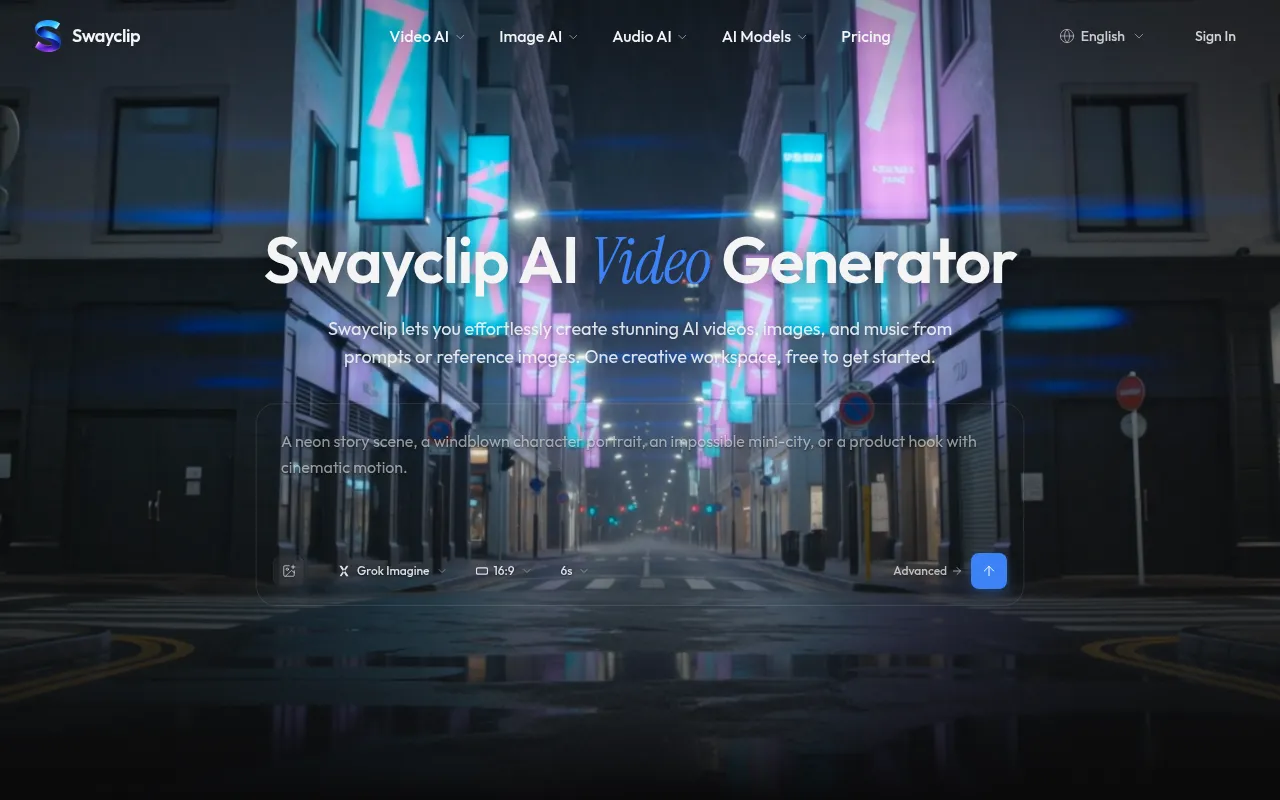
Swayclip is a video-first AI creator workspace that lets you generate AI videos, images, and music from prompts or reference images. It provides access to multiple leading AI models in a single browser workspace, with model choice and credit costs shown before generation.
How to use Swayclip AI
- Go to the Swayclip homepage and use the prompt gateway to enter a text description of what you want to create.
- Optionally upload a reference image (first frame, product shot, etc.).
- Select your preferred AI model (e.g., Kling 3.0, Veo 3.1, Seedance 2.0, Grok Imagine, etc.).
- Choose aspect ratio (e.g., 16:9) and duration (e.g., 6 seconds).
- Click generate to create your video, image, or music asset.
- Adapt the prompt and settings as needed for your own asset.
Features of Swayclip AI
- Multi-modal generation: Create videos, images, and music from text or image inputs.
- Multiple AI models: Choose from leading models like Kling 3.0, Veo 3.1, Seedance 2.0, Happy Horse, GPT Image 2, Nano Banana, and Grok Imagine.
- Model choice and credit clarity: See which model you're using and the credit cost before generating.
- Reusable outputs: Generated assets can be reused in your projects.
- Prompt examples: Homepage shows real outputs with the prompts behind them, which you can adapt.
- Commercial use: Available on paid plans and Credit Pack generations (subject to model licensing terms).
Use Cases of Swayclip AI
- Product clips and social shorts
- Cinematic scenes and character shots
- Editorial images and concept visuals
- Music for creator workflows
- First-person POV product hooks
- Vlog-style cinematic footage
- Editorial fashion film aesthetics
Pricing
Swayclip offers paid plans and Credit Packs. Pricing starts at $19.99 per month (as per schema data). Commercial use is included on paid plans. For full details, visit the pricing page.
FAQ
What is Swayclip? Swayclip is a video-first AI creator workspace. From a prompt, product shot, reference image, or music need, you can generate and reuse video, image, and audio assets with model choice and credit costs shown before generation.
Which AI models can I use? The workspace covers video, image, and audio generation across multiple leading AI models. Each tool's model picker shows the current lineup, which keeps expanding.
Can I create from both text and images? Yes. Start from a prompt, upload a first frame or product image, or use a reference asset depending on the tool.
What kinds of scenes can I make? Use Swayclip for product clips, social shorts, cinematic scenes, character shots, editorial images, concept visuals, and music for creator workflows.
Can I use Swayclip for commercial work? On paid plans and Credit Pack generations, yes. You keep rights to your prompts and references; outputs follow the underlying model's licensing terms.
How is Swayclip different from other AI video tools? Swayclip is a video-first creator workspace with visible model choice, reusable outputs, credit clarity, and workflow pages that grow with real creator jobs. It is an independent creator tool, not the official site of any underlying model provider.