What is TapVid
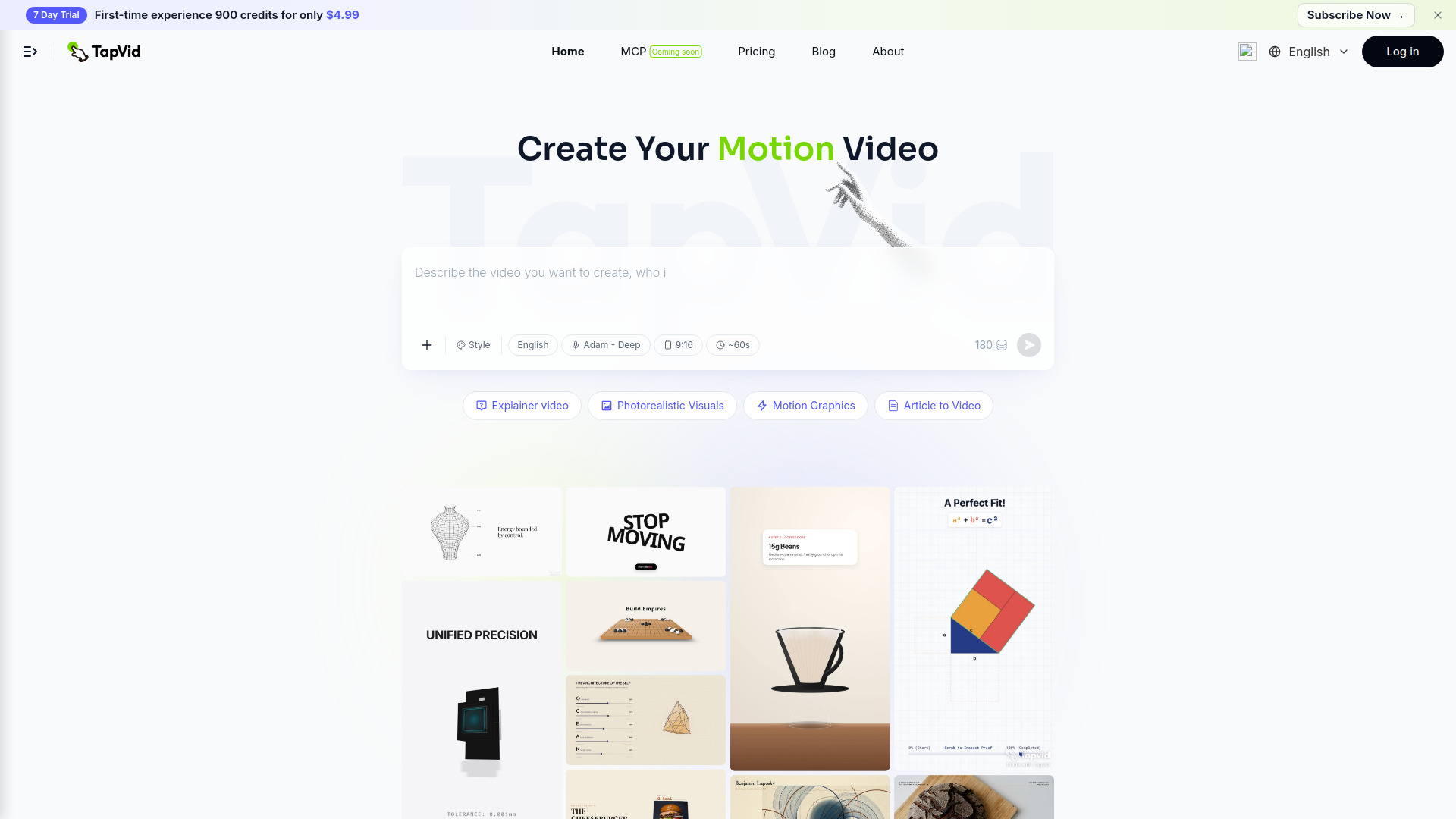
TapVid is an AI-powered motion graphics video generator that transforms prompts, PDFs, and links into structured explainer videos with visuals, AI voiceover, and subtitles. It requires no editing skills, making it accessible for creating professional-looking videos quickly.
How to use TapVid
- Input your content: Enter a prompt, upload a PDF, or paste a link into the text editor on the homepage.
- Customize settings: Adjust style, language, voiceover (e.g., Adam - Deep), aspect ratio (e.g., 9:16), and duration (e.g., ~60s) using the toolbar.
- Generate video: Click the send button to create your motion video with AI-generated visuals, voiceover, and subtitles.
- Remix existing videos: Browse featured videos and click "Remix" to use them as a starting point.
Features of TapVid
- AI motion graphics generation: Turns text, PDFs, or links into animated explainer videos.
- AI voiceover: Multiple voice options (e.g., Adam - Deep) with language selection.
- Subtitles: Automatically generated subtitles for accessibility.
- Customizable styles: Choose from styles like Explainer video, Photorealistic Visuals, Motion Graphics, and Article to Video.
- Aspect ratio options: Supports formats like 9:16 for mobile-friendly videos.
- Duration control: Adjust video length (e.g., ~60s).
- Remix feature: Use existing featured videos as templates.
- Multi-language support: Available in English, Chinese, Japanese, Korean, German, Spanish, and more.
Use Cases of TapVid
- Explainer videos: Create educational or product explainer videos from prompts or documents.
- Product demos: Generate interactive product demo videos from PDFs or scripts.
- Educational content: Turn articles or links into structured educational videos with visuals and narration.
- Social media content: Produce short-form videos in 9:16 aspect ratio for platforms like TikTok or Instagram.
- Marketing videos: Quickly create promotional motion graphics videos without editing skills.
Pricing
TapVid offers a free tier (price: $0) as indicated in the structured data. Detailed pricing plans are available on the pricing page.
FAQ
Q: What input formats does TapVid support?
A: You can input prompts, PDFs, or links to generate videos.
Q: Do I need video editing skills?
A: No, TapVid is designed for users with no editing experience.
Q: Can I customize the voiceover?
A: Yes, you can select from different AI voices (e.g., Adam - Deep) and languages.
Q: What aspect ratios are available?
A: Options include 9:16 (vertical) and likely others like 16:9.
Q: Is there a free version?
A: Yes, TapVid offers a free tier.