What is WABak
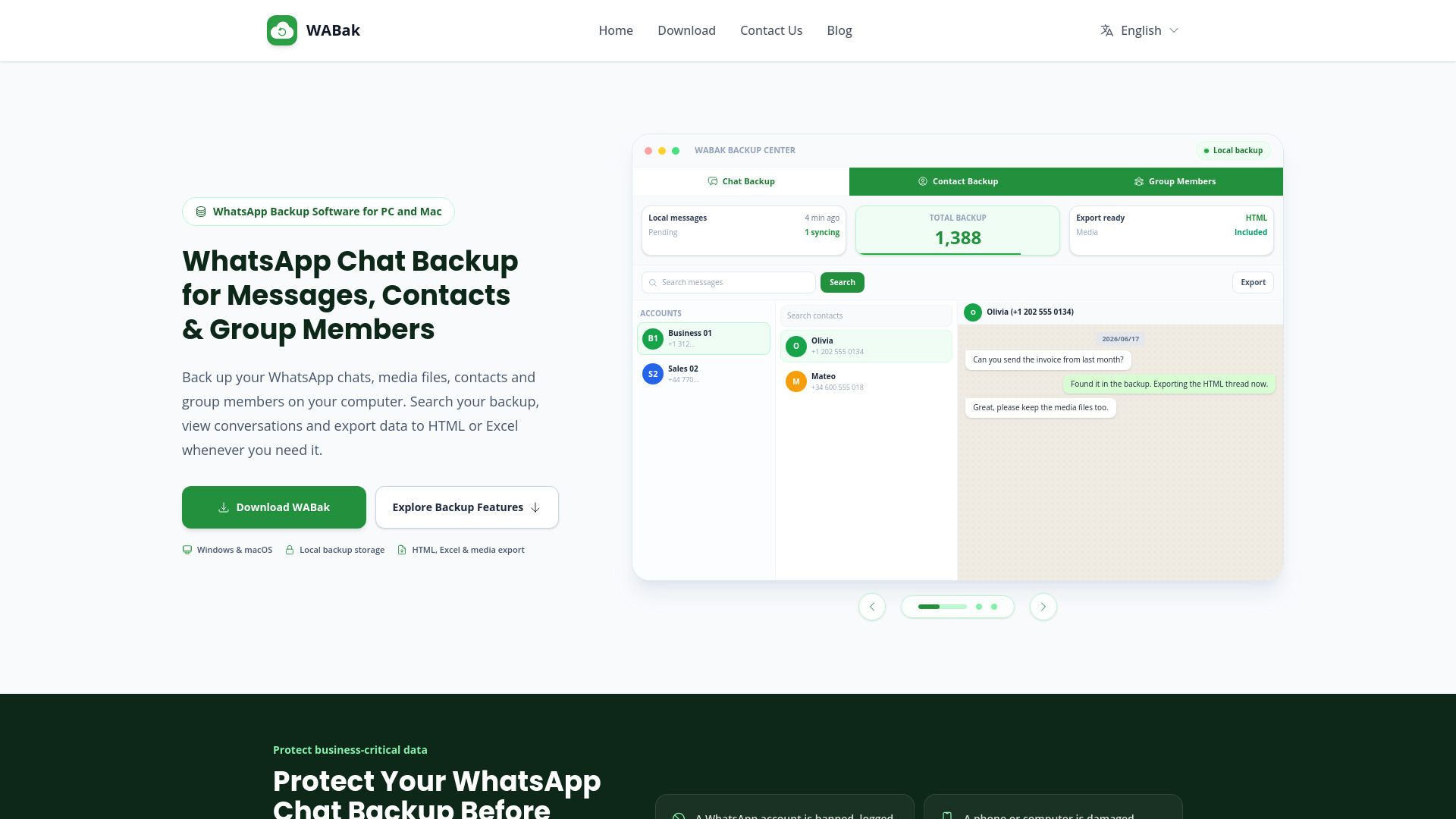
WABak is a desktop software for Windows and macOS that creates local backups of WhatsApp chats, contacts, media files, and group members. It allows users to search, view, and export backed-up data to HTML, Excel, or CSV formats.
How to use WABak
- Download and install WABak on a Windows or macOS computer.
- Connect a WhatsApp account you control and select the chats, contacts, or group members to back up.
- Use the local Backup Center to search, view, and export records in your preferred format.
Features of WABak
- Chat backup: Back up messages, timestamps, and supported media files.
- Contact backup: Save phone numbers, names, account ownership, and last-message context for both saved and unsaved contacts.
- Group member backup: Preserve group names, member numbers, nicknames, admin status, and join/leave/removal information.
- Search and filter: Search text across conversations; filter by keyword, account, contact, date, message type, and status.
- View options: Switch between conversation view and list view.
- Export: Export chats to HTML (readable layout), Excel/CSV (structured data), and media files (photos, videos, audio, documents). Export contacts and group members to Excel or CSV.
- Local storage: All backed-up data is stored on your own computer; you control when to save, view, search, and export.
- Multi-account support: Manage multiple WhatsApp accounts within the same application.
Use Cases of WABak
- Customer support records: Keep service conversations available for escalations, quality review, and case handover.
- Sales contacts and history: Preserve prospect details, customer context, and messages behind each opportunity.
- Communities and group members: Maintain authorized records of group participants before memberships or roles change.
- Multi-account operations: Give teams a consistent local process for account transitions, audits, and business continuity.
FAQ
How do I create a WhatsApp chat backup on my computer?
Install WABak on Windows or macOS, connect the WhatsApp account you control, and select the chats you want to save. The local Backup Center then lets you search, view, and export the backed-up data.
Can I view my WhatsApp chat backup after losing account access?
Yes, data that was successfully saved locally before access was lost can still be viewed, searched, and exported in WABak. Data that was never backed up cannot be recovered by WABak.
Does WhatsApp chat backup include photos, videos, and documents?
WABak can preserve supported media associated with backed-up messages, including photos, videos, audio, and documents. Availability depends on the media being accessible when the backup is created.
How do I export WhatsApp chat backup to HTML?
Open the backed-up conversation in WABak, choose the export action, and select HTML. The resulting file keeps a readable conversation layout for offline access and archiving.