What is Zanta AI
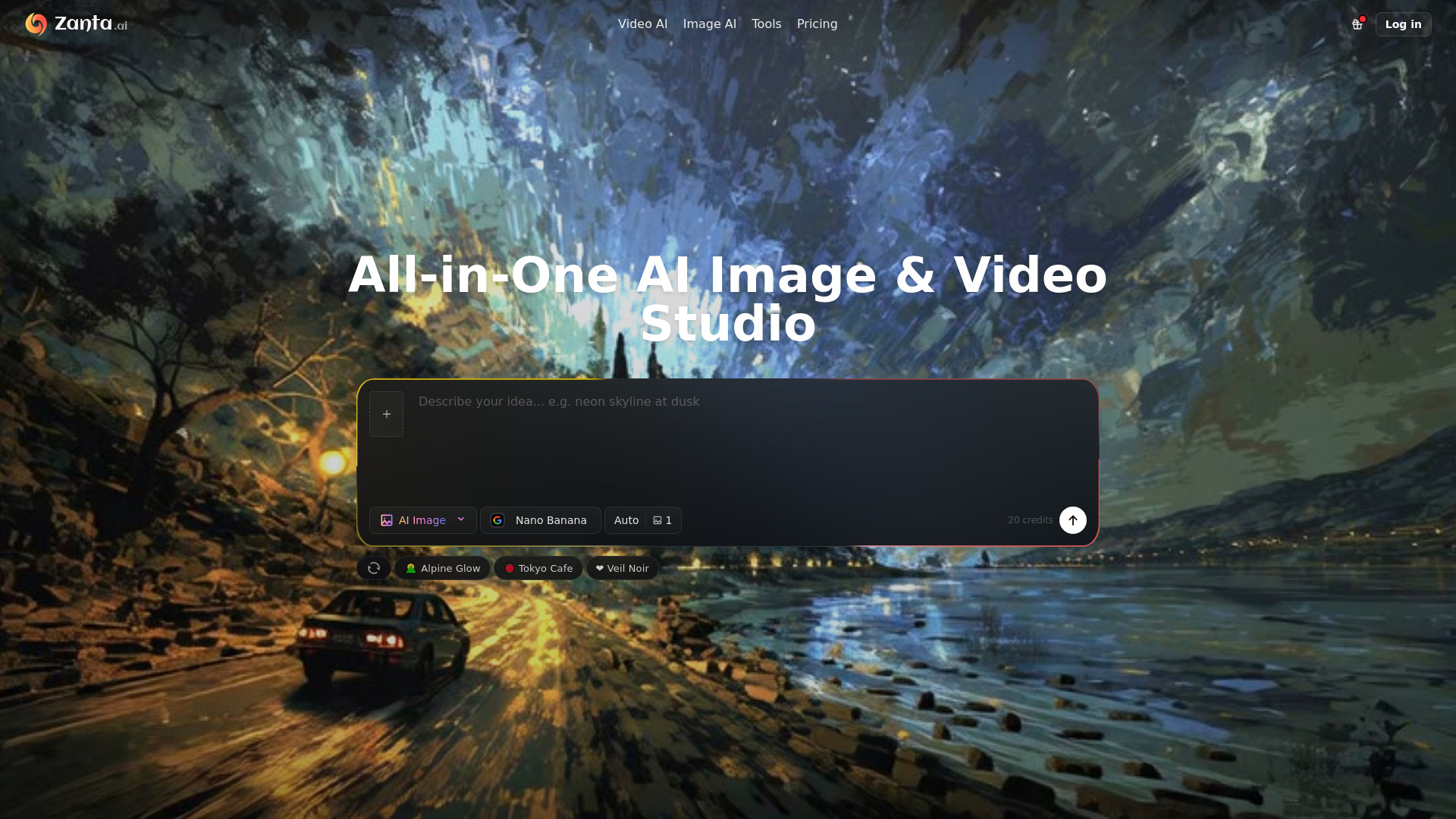
Zanta AI is an all-in-one AI image and video generation studio that allows users to create AI videos and images within a single browser studio. It supports various AI models for both video and image generation, enabling users to start from a prompt or a source asset, compare models, and generate usable output efficiently.
How to use Zanta AI
- Start from an asset: Begin by either typing a text prompt describing your idea or uploading a source image.
- Choose your model: Select the appropriate AI model for your needs. For video, options include Veo 3.1, Kling, and Seedance. For images, options like Nano Banana 2, Nano Banana Pro, GPT Image 2, and others are available.
- Configure settings: Adjust parameters such as aspect ratio and output settings.
- Generate and compare: Create your content, compare different outputs, and select the best result.
- Export: Download the generated content for review or publishing.
Features of Zanta AI
- All-in-one Studio: Generate both AI images and videos within a single platform.
- Multiple AI Models: Access and compare various models for image and video generation (e.g., Veo 3.1, Kling, Nano Banana 2, GPT Image 2).
- Prompt-based Generation: Create content by describing your idea in text.
- Image-to-Video/Image: Utilize source images to guide video generation or image transformations.
- Model Comparison: Evaluate different AI models to choose the best fit for your specific needs.
- Browser-based Workflow: All creation processes run within the browser, eliminating the need for separate editing software.
- Commercial Use: Outputs can be used for commercial purposes, subject to plan and model terms.
- High-Resolution Output: Supports up to 4K output for images.
Use Cases of Zanta AI
- Marketing and Advertising: Create visuals for ads, landing pages, product marketing, and campaign materials.
- Content Creation: Generate thumbnails, concept art, and various visual assets.
- Brand Visuals: Maintain brand consistency by transforming existing assets into new visuals.
- Prototyping and Ideation: Quickly visualize concepts and ideas through AI-generated images and videos.
- Character Design: Develop detailed character concepts and designs.
- Artistic Exploration: Experiment with different styles and concepts using advanced AI models.
Pricing
Zanta AI offers a free tier with 40 credits available for initial use. Specific pricing plans or tiers are not detailed in the provided content, but credit usage is mentioned to depend on the model and settings used, with video models and larger image outputs potentially requiring more credits.
FAQ
- Which workflow should I start with? Start with text when the scene still has to be invented. Start with an image when the first frame already works. Use Nano Banana or GPT Image for stills, and Veo or Kling when the idea needs motion.
- Can I start from my own images? Yes. Zanta can use uploaded source images for video motion or still-image transformations, including portraits, product photography, approved campaign stills, and other brand assets you want to keep recognizable.
- What file types and upload sizes are supported? The current web workflow accepts common still-image uploads such as PNG, JPG, JPEG, WEBP, and GIF. AI source images support uploads up to 64 MB per file.
- What affects credits? Credits depend on the model and settings. Video models like Veo 3.1 and larger image outputs can require more credits than quick still-image tests.
- What should I do if a result looks wrong or too generic? Usually that means the job is scoped too broadly. Narrow the request to one clear scene, one still, or one controlled edit, then retry with a cleaner prompt or a stronger source image. If the first frame matters more than invention, switch from text to an image-based workflow.
- Can I use the outputs for commercial work? Yes. Teams use Zanta for ads, landing pages, product marketing, thumbnails, concept work, and campaign visuals. Final usage still depends on the plan and model terms tied to your account.
- Do I need separate editing software to get started? No. Zanta runs in the browser, so you can go from prompt or source image to generated output, compare variants, and download the result without opening a separate editor first.