
LogoTop AI Hubs
icon of Storyship

Storyship

AI tool transforming raw screen recordings into professional product demo videos.

Introduction

What is Storyship

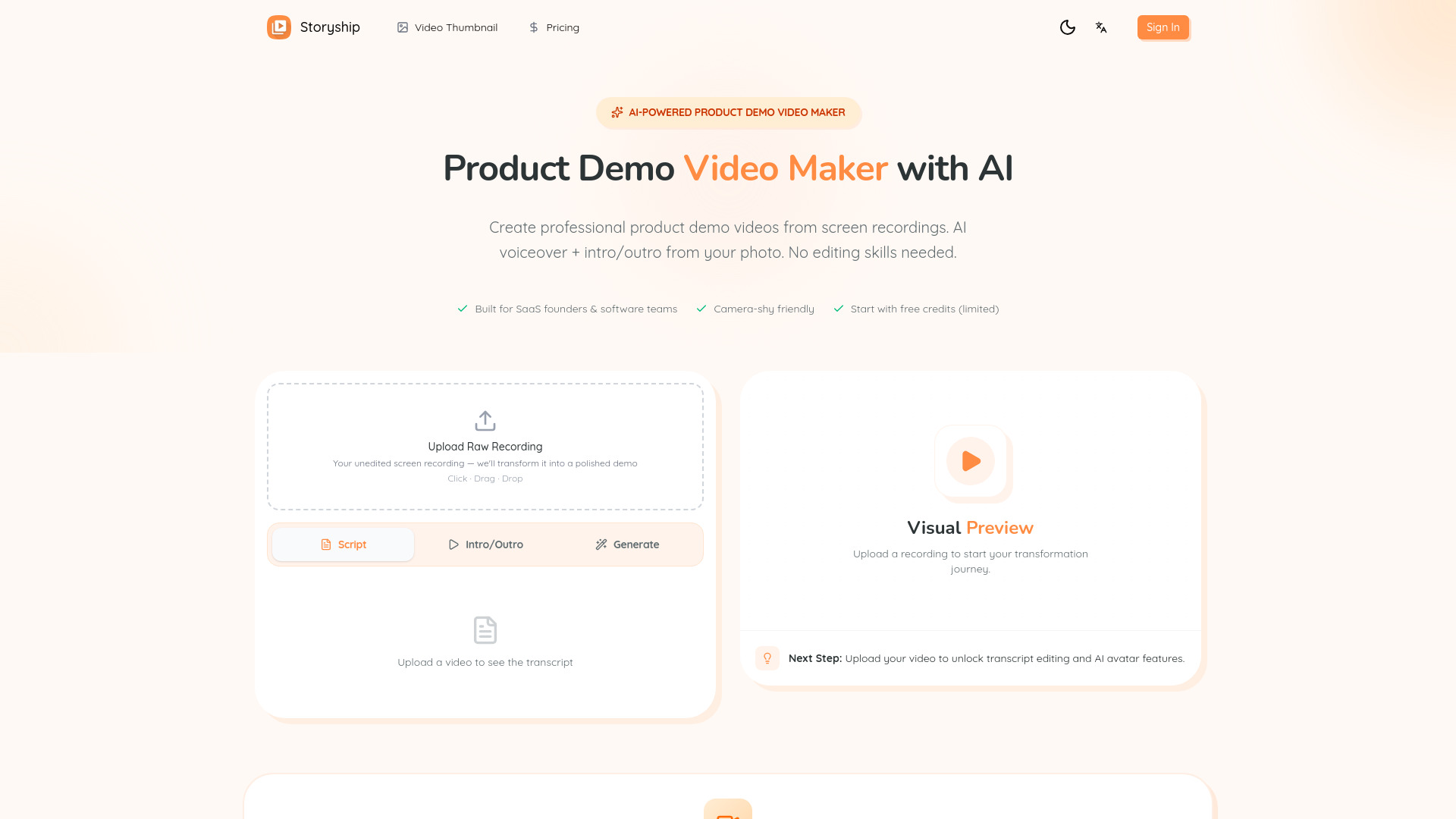
Storyship is an AI-powered platform designed to transform raw screen recordings into professional product demo videos. It aims to simplify video creation for users who may not have editing skills or wish to avoid showing their face on camera.
How to use Storyship
  1. Upload Your Screen Recording: Drag and drop your video file (MP4, MOV, WebM, max 500MB). The AI will automatically transcribe the audio.
  2. Edit Your Script: Review the AI-generated transcript. Edit any text as needed and choose from preset AI voices or clone your own voice.
  3. Add Intro/Outro (Optional): Upload your photo to generate a lip-sync presenter video for the intro and outro.
  4. Generate & Export: Click "Generate" to create your MP4 video (720p) and download it for sharing.
Features of Storyship
  • AI Voiceover & Voice Clone: Generate studio-quality AI voiceovers from your script using preset voices or by cloning your own voice.
  • AI Intro & Outro: Create presenter videos using your photo as an avatar, eliminating the need for filming.
  • Smart Script Editor: Edit the AI-generated transcript of your screen recording, with real-time preview.
  • Live Preview: See how your demo looks with the embedded avatar before exporting.
  • Audio-Video Sync: AI adjusts speed to perfectly match video timing with the voiceover.
  • Beautiful Thumbnails: Create eye-catching video covers quickly.
  • One-Click Export: Export your demo as an MP4 (720p) file.
  • Camera-Shy Friendly: Create professional demos without showing your face or recording your own voice.
  • No Editing Skills Required: The platform is designed for ease of use, allowing users to upload, edit text, and export.
Use Cases of Storyship
  • Product Hunt Launchers: Create engaging launch videos quickly.
  • SaaS Founders: Produce professional demos for landing pages without hiring a video team.
  • Camera-Shy Creators: Make polished demos without appearing on camera or using your own voice.
  • Non-Native Speakers: Achieve perfect English voiceovers without accent concerns.
  • Busy Founders: Save time by creating demos in minutes.
  • Solo Developers: Create demos without learning video editing software.
  • Content Creators: Repurpose tutorials into professional content for various platforms.
  • Educators: Create course videos and training materials with clear AI narration.
FAQ
  • How do I make a product demo video without showing my face? Upload your screen recording. Storyship generates AI voiceover and AI-generated intro/outro with your photo. No filming needed.
  • What video formats are supported, and what's the max upload size? We support MP4, MOV, and WebM. Max file size is 500MB.
  • How does AI voiceover work? We transcribe your video audio, let you edit/optimize the script, then generate English voiceover using 4 preset voices.
  • How long does it take to create a demo video? Usually minutes. It depends on your video length and queue time.
  • Is Storyship free? Storyship isn't fully free. You can start with limited free credits, and generating videos will consume credits. Upgrade for more usage.

Newsletter

Join the Community

Subscribe to our newsletter for the latest news and updates

